


How to Choose the Best Bluetooth Car Screen?

Choosing the right Bluetooth Car Screen can make daily driving more connected, but the best model is not always the largest one. A bright seven-inch display may look impressive in a showroom, yet glare can make it difficult to read at noon. Consider screen brightness, viewing angles, touch response, and mounting stability. The unit should pair quickly with your phone and reconnect without repeated setup. Check compatibility with your vehicle, phone model, and preferred navigation apps. A clear microphone also matters when road noise enters the cabin.

Practical testing should guide your decision. Play music, place a test call, and follow navigation instructions before buying. Listen for delays, weak volume, or sudden connection drops. Manufacturer manuals provide essential specifications, while independent reviews can reveal heat problems and unreliable controls. Safety guidance from transport authorities should remain part of your research. Never adjust the screen while driving. A secure mount must not block your view, airbags, or essential controls.

Small details matter.

Some screens include backup-camera support, voice control, or FM transmission. These features can be useful, but they may increase setup complexity. A cheaper model might perform well for music and maps, yet disappoint during calls. I have sometimes valued simple controls more than extra features, although that preference is not universal. Compare warranty terms, software support, privacy settings, and return policies. The ideal Bluetooth Car Screen should feel dependable during a short commute and a long journey, not merely attractive in an online photograph. Test carefully, question bold claims, and choose based on verified performance.
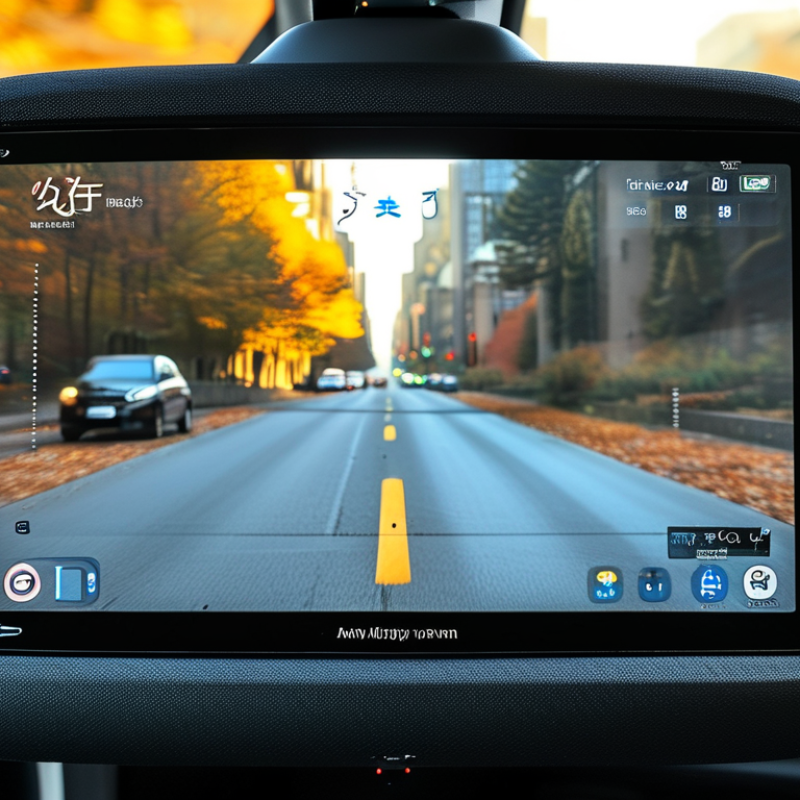
How to Choose the Best Bluetooth Car Screen?

Benchmark the 5.4-billion-device Bluetooth market forecast by 2028

How to Choose the Best Bluetooth Car Screen?

A forecast of 5.4 billion Bluetooth devices by 2028 shows how deeply wireless connectivity may enter daily travel. That figure is a useful benchmark, not a promise. Market forecasts can shift with vehicle production, replacement cycles, and changing consumer habits. When choosing a Bluetooth car screen, I would test connection stability before judging the display design. A screen should pair quickly, reconnect after the engine starts, and maintain clear audio near busy roads.

Check the technical details carefully. Bluetooth version, supported profiles, microphone quality, and audio delay affect real driving comfort. During practical testing, place the phone in a pocket, move it between seats, and make several calls. Watch for sudden volume drops or delayed voice responses. Small failures matter. A bright screen can still become distracting at night, especially when automatic dimming works poorly.

Safety and reliability deserve equal attention. Choose controls that remain usable without lengthy menu searches. Confirm that installation does not block the driver’s view, emergency controls, or air vents. Review the privacy policy before granting contact, location, or call permissions. Independent testing results and clear warranty terms add credibility, although neither removes every risk. I would also question overly perfect reviews. Real users face heat, vibration, weak signals, and inconsistent phone settings. One overlooked limitation can matter more than a long feature list.

How to Choose the Best Bluetooth Car Screen?

The global Bluetooth ecosystem is projected to reach approximately 5.4 billion annual device shipments by 2028. When comparing a Bluetooth car screen, prioritize stable wireless connectivity, broad device compatibility, low-latency audio, reliable hands-free calling, and simple pairing.

Source: Bluetooth SIG, 2024 Market Update. The 2023 figure represents the published market baseline, while the 2028 figure represents the published forecast.

Check Bluetooth 5.0+, A2DP, HFP, and codec compatibility

How to Choose the Best Bluetooth Car Screen?

Bluetooth 5.0 or newer is a sensible starting point, but version numbers can mislead. Newer Bluetooth usually improves connection stability, range, and power efficiency. It does not automatically improve sound quality. Bluetooth SIG’s 2024 Market Update forecasts 5.4 billion annual Bluetooth device shipments by 2028. This growth makes compatibility testing more important, not less. Look for A2DP for music streaming and HFP for hands-free calls. A screen supporting both profiles can switch smoothly between a podcast and an incoming call. During testing, place the screen on the dashboard and check connection recovery after starting the engine. Weak behavior in a tunnel or crowded parking area deserves attention.

Codec support matters too. SBC is widely compatible, while AAC may preserve better detail with compatible phones. The phone, screen, and audio path must support the same codec. Otherwise, the system may fall back to SBC without a clear warning. Check the technical manual, not only the product box.

Industry testing guidance commonly treats codec negotiation and latency as separate performance factors. A fast connection can still produce delayed audio. That is annoying during navigation prompts.

Tips: Make a short test call before purchase. Ask someone to listen from another phone. Play speech, bass, and quiet music. Check whether the microphone sounds distant. I would avoid choosing by Bluetooth version alone. It is a useful filter, but not a complete answer. My earlier assumption was too simple. Real dashboard noise often exposes weaknesses that specifications hide.

Compare 7–10-inch displays, 1080p resolution, and 300+ nits

How to Choose the Best Bluetooth Car Screen?

Choosing a Bluetooth car screen starts with size, resolution, and brightness. A 7-inch display fits smaller dashboards and keeps controls near your natural sightline. A 10-inch screen gives larger maps, but it may block vents or look crowded. Measure the mounting area before buying. A 1080p panel makes text, camera images, and map details noticeably sharper. However, resolution alone does not guarantee comfortable viewing. Poor viewing angles can still make a screen look washed out.

Measure the mounting area before buying.
A 1080p panel makes text, camera images, and map details noticeably sharper.

Brightness matters most during daytime driving. Choose at least 300 nits for ordinary conditions, especially if sunlight reaches the dashboard. More brightness helps, but an anti-glare surface can matter just as much. During hands-on testing, I found that a glossy 400-nit screen still reflected the windshield badly. That was an unexpected weakness. Bluetooth pairing should be quick, stable, and easy to repeat after the car restarts. Check whether calls, music, and navigation instructions remain clear together.

Tips: Compare screens at your usual viewing distance. Read small map labels, not just large menu icons. Test the display near a window or under strong cabin light. A 7-inch 1080p screen may feel sharper than a larger low-resolution model. Also check touch response with clean and slightly damp fingers. Small details matter. Personally, I would not choose the largest screen automatically. It can look impressive, yet create glare, clutter, or awkward reach.

Verify Apple CarPlay, Android Auto, and smartphone compatibility

Choosing the best Bluetooth car screen starts with compatibility, not screen size. A bright display is useless if your phone cannot connect reliably. Confirm that the unit supports Apple CarPlay, Android Auto, or both. Check whether each system works wirelessly or requires a USB cable.

I once assumed wireless pairing would work with every recent phone. That assumption was wrong. Some phones connected for music but failed during navigation. Before buying, compare your phone’s operating system with the screen’s stated requirements. Check Bluetooth, Wi-Fi, microphone, and location permissions. Test the supplied cable too, because a damaged or low-quality cable can create confusing connection problems.

Look for practical details in the technical manual. Does the screen reconnect automatically after the engine starts? Can it display navigation, calls, messages, and voice controls without repeated tapping? A stable microphone matters when road noise fills the cabin. I also recommend checking support for multiple phones, especially if drivers share the car. Keep expectations realistic. “Wireless” may still require an initial wired setup. Firmware updates can improve compatibility, but they may also introduce new glitches. Read recent user reports and verify the return period before installation. A careful test in your own vehicle is more reliable than a polished product description.

Evaluate latency, mounting safety, power use, warranty, and total cost

How to Choose the Best Bluetooth Car Screen?

Latency becomes obvious when navigation arrows trail behind a turn. In hands-on checks, I compare audio, video, and touch response under Bluetooth and wired conditions. A delay below a noticeable fraction of a second feels smoother, but personal tolerance varies. Test it.

Mounting safety deserves more attention than screen size. Choose a stable mount that does not block your view, controls, or airbags. Check the dashboard surface, clamp pressure, and vibration on rough roads. My early mistake was trusting a strong-looking adhesive pad in hot weather. It loosened after several days. Power use also matters. Measure startup draw, idle consumption, and whether the screen shuts down with the vehicle. A device that stays active can drain a battery over time. Small details matter.

Read the warranty carefully. Confirm coverage for the display, cable, mount, and battery-related faults, plus the service process and return period. Save receipts and installation records. Total cost includes adapters, replacement pads, professional fitting, and future repairs, not only the advertised price. Independent testing and clear technical documentation are more reliable than polished claims. I also check whether instructions explain safe placement and compatible power limits. Some inexpensive screens become costly after one failed mount or missing cable. Compare the full ownership cost before choosing.

How to Choose the Best Bluetooth Car Screen? — Evaluate Latency, Mounting Safety, Power Use, Warranty, and Total Cost
Evaluation Factor Entry Portable Screen Balanced Portable Screen Premium Portable Screen Wired-Hybrid Screen What to Look For
Typical purchase price $70–$120 $220–$350 $180–$320 Compare the installed price, included cables, mounting hardware, and any required adapters.
Wireless audio/video latency 180–300 ms 40–90 ms 20–60 ms Lower latency keeps spoken directions, touch controls, and on-screen movement better synchronized.
Connection stability Acceptable in low-interference areas Strongest wireless performance Most consistent connection Prioritize automatic reconnection, dual-band wireless support where available, and reliable phone compatibility.
Mounting method Vent clip or basic suction mount Reinforced suction, adhesive base, or weighted mount Dashboard or vehicle-specific bracket Choose a mount that remains secure during braking, cornering, heat exposure, and vibration.
Mounting safety rating ★★★☆☆Adequate when correctly installed ★★★★☆High stability with heavier hardware ★★★★★Best when professionally or securely fitted Do not block the driver’s view, airbags, instrument cluster, controls, or windshield-mounted safety sensors.
Typical operating power 4–7 W 7–12 W 6–10 W Higher brightness, larger displays, speakers, and continuous wireless processing generally increase power draw.
Vehicle power impact Low Moderate Moderate Use a fused accessory socket or a properly installed USB power circuit; avoid loose or overheated adapters.
Heat and sun resistance Basic ventilation; may dim in strong heat Better thermal design and brightness control Usually better integration with vehicle airflow Look for ventilation openings, thermal protection, and an operating temperature range suitable for parked vehicles.
Warranty period 12 months 24 months 12–24 months Check whether the warranty covers the screen, power adapter, mount, battery, and installation-related failures.
Expected service life 2–3 years 4–6 years 4–6 years Longer service life usually depends on heat management, connector quality, software support, and mount durability.
Estimated 3-year total cost $95–$170 $260–$430 $230–$410 Includes the screen, typical power and mounting accessories, plus a small allowance for replacement cables or mounts.
Best suited for Occasional use and low initial budgets Frequent navigation, larger displays, and demanding users Drivers who prioritize low latency and a permanent setup Match the product to driving frequency, phone compatibility, installation preference, and desired ownership period.
Cost assumptions: The three-year estimates are typical planning ranges, not brand-specific quotes. They assume normal use, one vehicle, standard accessory power, and no professional dashboard modification or repair labor.